
Em geral, tanto o servidor quanto o host virtual podem ser configurados diretamente.301 Redirecionamento(isto é,301 SaltoNão é necessário escrever código adicional para a configuração.
Mas o que fazer se você não quiser implementar um redirecionamento 301 em um servidor ou hospedagem virtual?

Nós usamosZ-blogPHPPor exemplo, o site do programa.
O tema do site do programa Z-blogPHP usa o arquivo de modelo de cabeçalho unificado header.php
O caminho para o header.php - - diretório raiz /zb_users/theme/themeid/template/
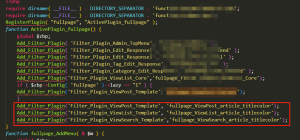
Depois de encontrar o arquivo header.php, basta adicionar o nosso código no header.php!
A primeira maneira:
Implementar o redirecionamento do finchui.com para www.finchui.com
Este método é frequentemente usado para novos sites.
O código é o seguinte:
{php}
if (strpos($_SERVER['HTTP_HOST'], 'www.finchui.com') === false) {
    header("HTTP/1.1 301 Moved Permanently");
    header("Location: http://www.finchui.com");
    exit();
}
{/php}
O segundo método:
Não apenas a implementação do finchui.com saltou para www.finchui.com.
Também implementar acesso, por exemplo: finchui.com/zbp-theme/62.html, finchui.com/zbp-theme/ redirecionar para www.finchui.com/zbp-theme/62.html e www.finchui.com/zbp-theme/62.html.
Simplificando, apenas o nome de domínio principal é alterado, e a parte do sufixo do URL permanecerá inalterada.
Esta abordagem é frequentemente usada quando os antigos URLs já foram incluídos em muitos endereços nos motores de busca, a fim de transferir o peso do antigo nome de domínio para o novo nome de domínio.
O código é o seguinte:
{php}
$redirectHost = 'www.finchui.com;
if (strpos($_SERVER['HTTP_HOST'], $redirectHost) === false) {
    $redirectURL = 'http://' . $redirectHost . $_SERVER['REQUEST_URI'];
    header("HTTP/1.1 301 Moved Permanently");
    header("Location: $redirectURL");
    exit();
}
{/php}
No exemplo acima, o nome de domínio do meu site é usado, enquanto o meu site simplesmente faz um salto de finchui.com para www.finchui.com, sem sufixo de URL.










 Adicione qq de atendimento ao cliente.
Comentários dos internautas